¶ Measurements management
¶ Conceptual approach
In the digitalization of landfill operation, we consider two essential concepts: the Assets and the Measurements. Both are linked together but are different.
Assets are physical objects which are defined by their attributes such as geolocalisation, geometry, and other physical parameters (length, diameter, substance, material, etc). For example a well, a pond, a piece of pipe, a building.
On the other hand, measurements are a way to link data to:
- An asset directly
- or a geographical position. In this case, measurements can be represented by a point, a line or a polygon.
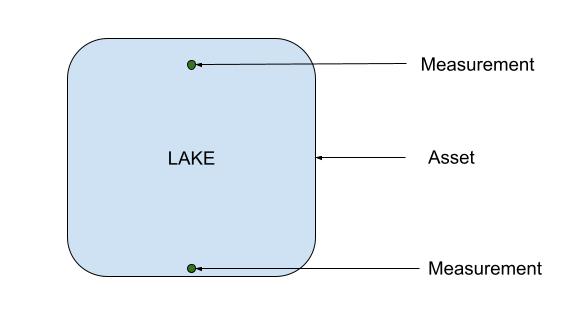
Below is an example. In this case a lake or a pond. You can have one or more measurement points on that lake. Both will be linked to the lake.
¶ Symbolic link
In addition for a measurement to be linked with an asset directly, a measurement can be symbolically linked to an asset. What does it mean?
For example, you are measuring a gas drain at one end where there is a measurement plug (e.g. measurement port). You will physically link the measurement to the asset type “plug” but you will want to symbolically link the measurement to the whole drain for better representation on the gas map.
¶ Create Measurement
Within the Measurements Module you can create new measurements. If you plan to link measurements to assets, we advice that you make sure that all assets are properly setup in your site before continuing with setting up measurements.
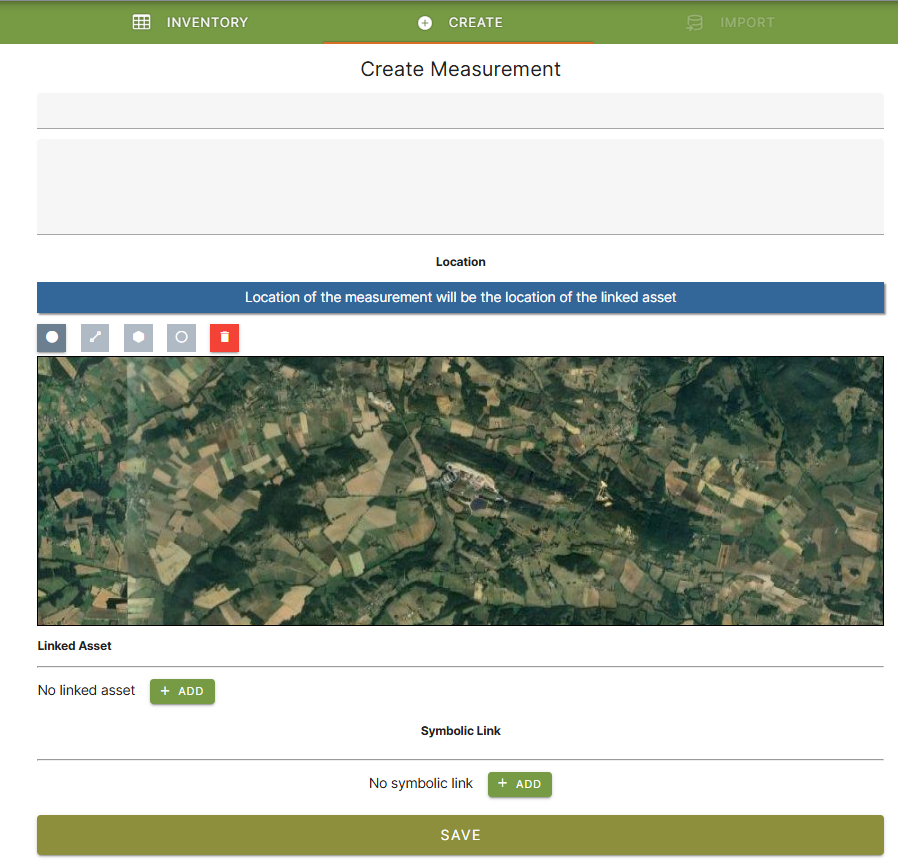
To create a measurement, click on the CREATE tab.
- Add name of the measurement. If you are linking the measurement to an asset it is usually the same name as the asset linked.
- A description is you want
- Position the point, line or polygon on the map
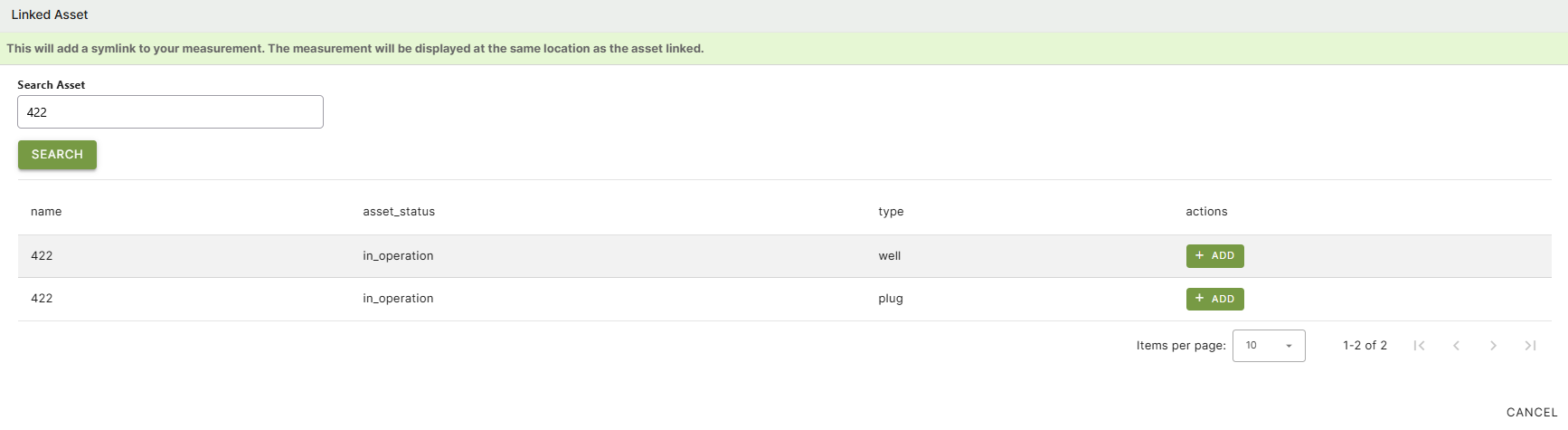
- Linked asset: search by name the asset you want to link to. Assets might have the same name but be of different types. So select carefully the right asset. For example a plug (measuring port)
- Symbolinc link: search by name the asset you want to link to. Assets might have the same name but be of different types. So select carefully the right asset. For example a drain.