The Import page loads water samples from a laboratory's file into your site.
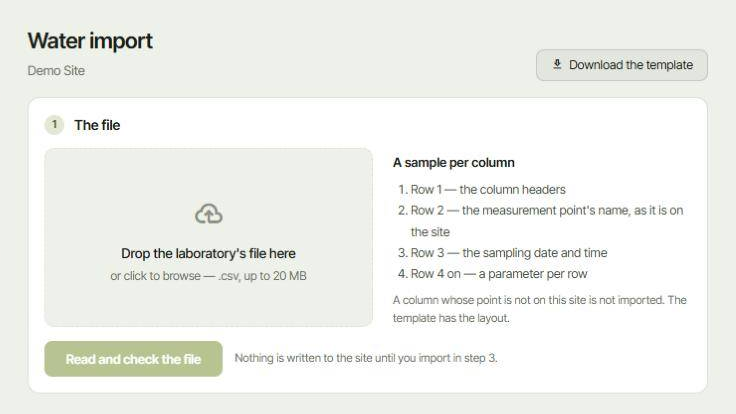
¶ The file
The file must be a .csv file, up to 20 MB, with one sample per column:
- Row 1: the column headers.
- Row 2: the measurement point's name, exactly as it is on the site.
- Row 3: the sampling date and time.
- Row 4 on: one parameter per row.
A column whose point is not on the site is not imported. Click Download the template to get a file with the right layout, then fill it in or ask the laboratory to use it.
The measurement points must exist first. You create and rename them in Measure in the left-hand menu. See Measurements module.
¶ Import the file
- Drop the file on the box, or click it to browse your computer.
- Click Read and check the file. The page reads the file and checks every column before anything is saved.
- Check the result, then import in step 3.
Nothing is written to the site until you import in step 3.
After the import, the samples appear on the Samples page with Recorded set to From a laboratory file, and on the Map.