The Export page downloads your gas readings as an Excel workbook.
¶ 1. Period and 2. Measurement points
The first two steps work the same way as on the Analysis page:
- Period: set From and To, or click 1M, 6M, 1Y or 5Y.
- Measurement points: choose a Scope, then tick the points you want.
The two pages share the same choices. If you just made an analysis, the export starts from the same period and points.
¶ 3. Spreadsheet
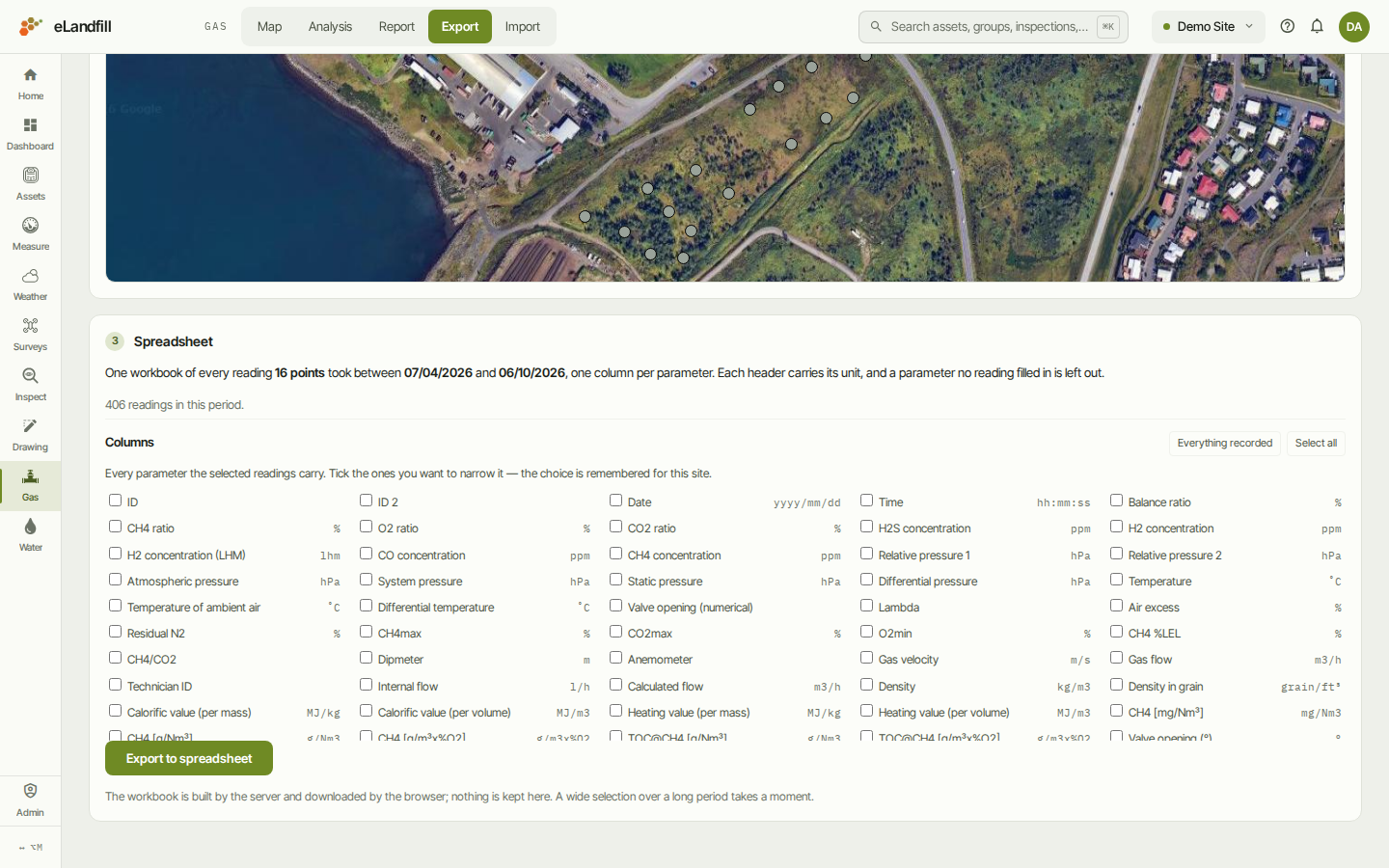
This step tells you what the workbook will hold and how many readings there are in the period.
The workbook has one row per reading and one column per parameter. Each column header carries its unit. A parameter that no reading filled in is left out.
Under Columns, tick the parameters you want in the workbook:
- Everything recorded goes back to every parameter the readings carry.
- Select all ticks every parameter.
Your choice of columns is remembered for the site.
Click Export to spreadsheet. The workbook is built and downloaded by your browser. A large selection over a long period can take a moment.
If the selected points have no readings in your period, the page tells you so and there is nothing to export. Widen the period or choose other points.
For a printable document instead of a spreadsheet, use the Report page.