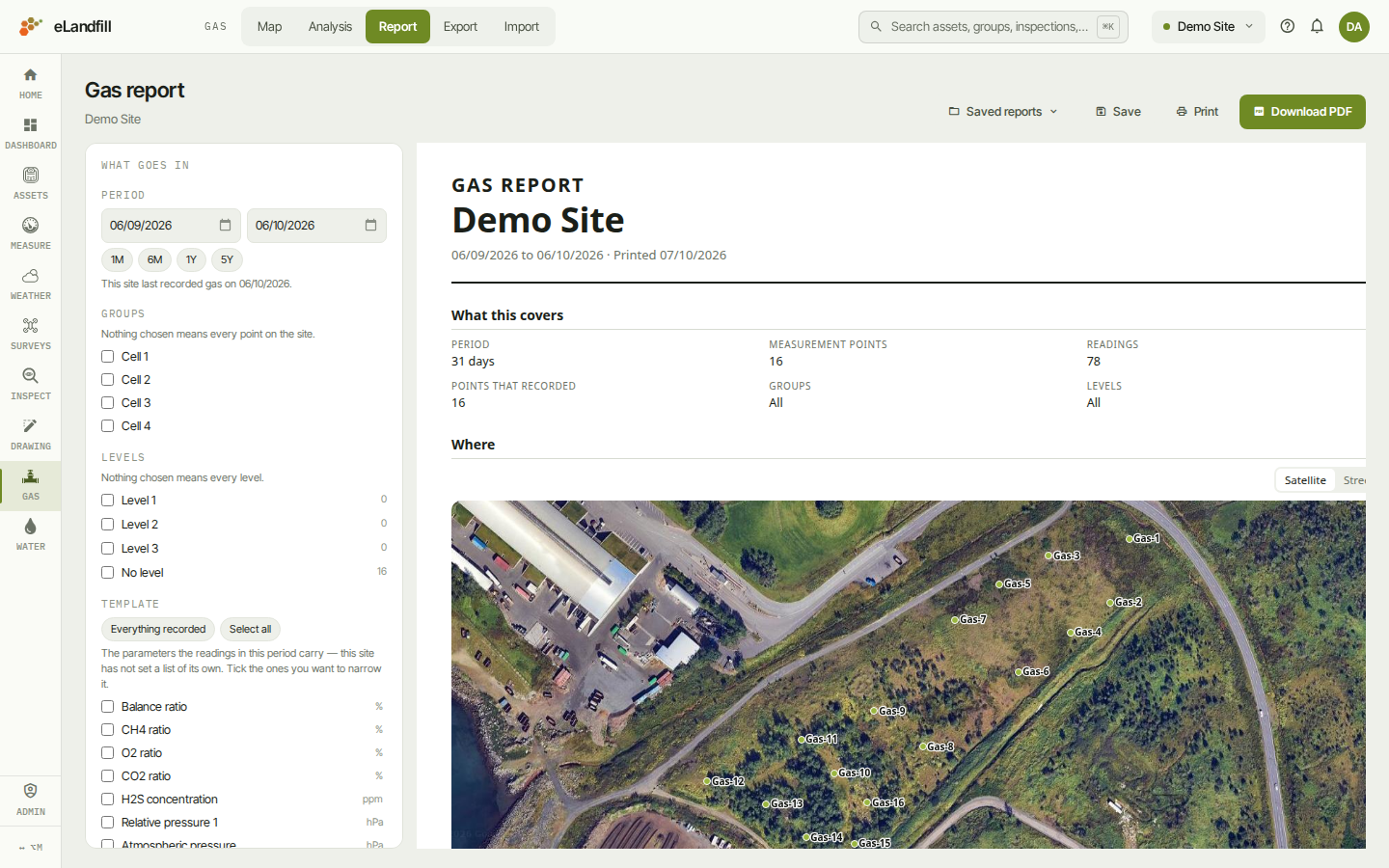
The Report page builds a printable gas report for your site. You choose what goes in on the left. The preview on the right shows the report exactly as it will print.
¶ Choose what goes in
The What goes in panel on the left holds every choice. The preview updates as you change them.
- Period: the dates the report covers. Type them, or click 1M, 6M, 1Y or 5Y. The panel tells you when the site last recorded gas.
- Groups: tick groups to report only on their points. Nothing ticked means every point on the site.
- Levels: tick levels to report only on points at those levels. Nothing ticked means every level.
- Template: the parameters printed as columns. Tick the ones you want. Everything recorded goes back to every parameter. Select all ticks them all. Your choice is remembered for the site.
- Organise by: how the tables are split. Choose Group, Level, Group, then level, or One table.
- Rows: One per reading, or One per point, averaged. An averaged row shows each parameter's lowest, average and highest reading in the period.
- Orientation: Portrait or Landscape. With many parameter columns, landscape fits more across the page.
- Include: tick the extras you want:
- Points that recorded nothing
- The map
- The points' names on it
- Readings outside their bounds, marked (offered when your site has limits set)
- Introduction: a short text at the top of the report, for example why it was made. Up to 600 characters.
The report opens with a summary, What this covers: the period, the number of points, the number of readings, and the groups and levels included. The map follows under Where, then the tables of readings.
On the map in the preview, choose the background: Satellite or Street, and an orthophoto by its date, or No orthophoto. The PDF uses the same background.
¶ Print or download
- Download PDF saves the report as a PDF file. The PDF is the same as the preview.
- Print opens your browser's print window, so you can print on paper or save from there.
A long period with many points can take a moment. If the report is too large, narrow the period.
¶ Save a report
Save your choices when you make the same report again and again, for example every month. A saved report keeps all the choices on the left, including the period. It does not keep a copy of the readings: it reads them again each time you open it.
For next month's report, open the saved report, change the Period, and save it again or use Save as….
To save:
- Click Save.
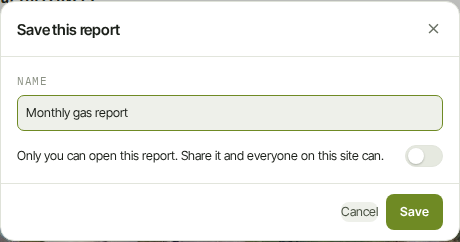
- Type a Name.
- To let everyone on the site open it, switch on the share switch. If you leave it off, only you can open the report.
- Click Save.
¶ Open a saved report
Click Saved reports to see the list. It shows your own reports and the reports others have shared with the site. A lock means only you can see it; a group icon means it is shared.
Click a report's name to open it.
On your own reports, the pencil lets you rename or share the report, and the bin deletes it. Deleting a report only removes the saved choices. The readings stay.
¶ Change a saved report
When a saved report is open:
- Save stores your changes in that report. It reads Saved when there is nothing new to save.
- Save as… saves your changes as a new report and leaves the open one as it was.
- Saved reports › Save as a new report does the same from the list.
If you open a report someone else shared, Save makes a copy of your own. Their report stays as it is.
You can also share the address of an open saved report with a colleague. They can open it if the report is shared with the site.